8.vue3+elementPlus前端菜单导航布局实现

分类: springboot uni-app vue 专栏: 带小白springboot3+vue3+uniapp 标签: springboot3 vue3 elementPlus
2026-01-23 18:21:12 384浏览
vue3+elementPlus前端菜单导航布局实现
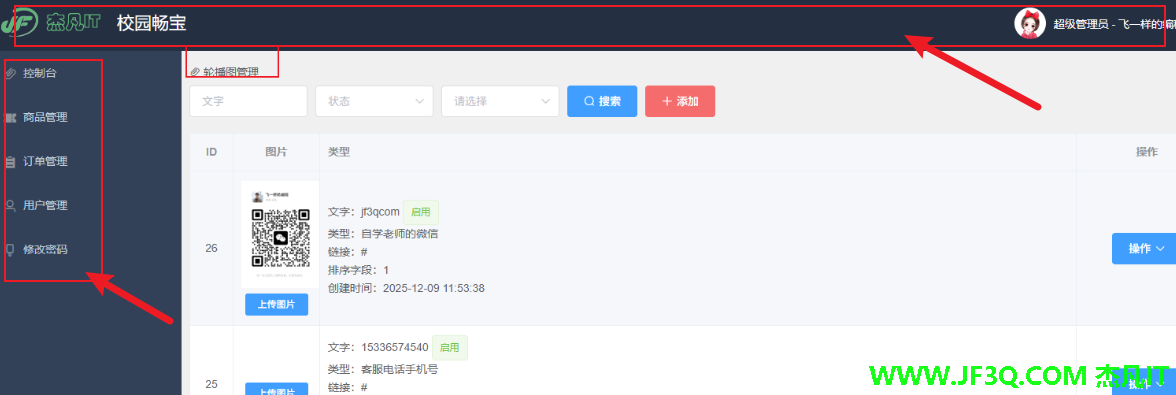 先把前端的这个架子搭建起来
elementPlus 官网
布局可以参考咱们之前 elementui 的写法
https://jf3q.com/article/detail/10824
最终的效果
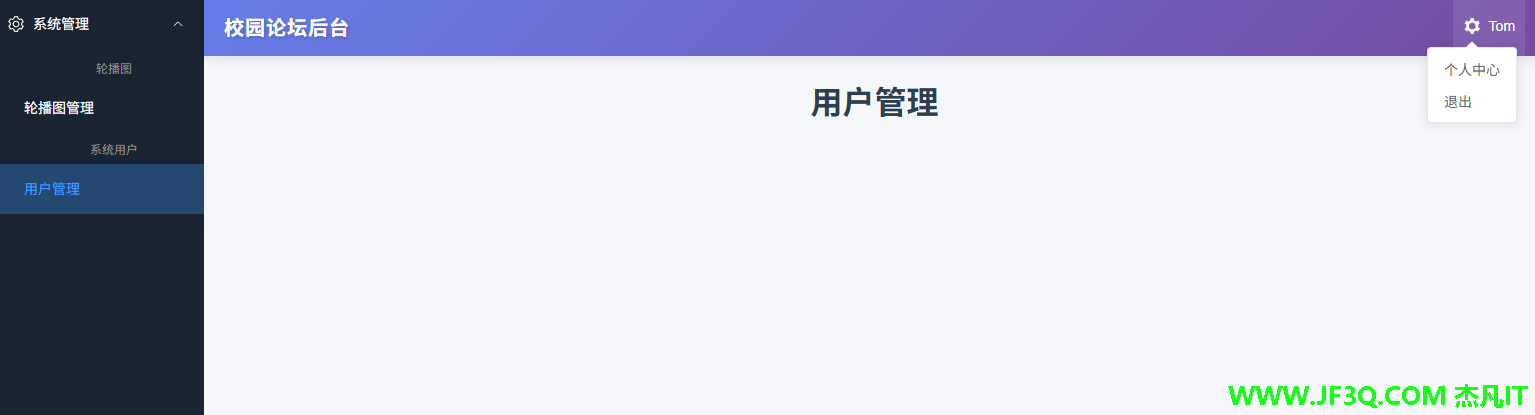
核心布局文件
<template>
  <el-container class="layout-container-demo">
    <el-aside width="220px">
      <el-scrollbar>
        <el-menu
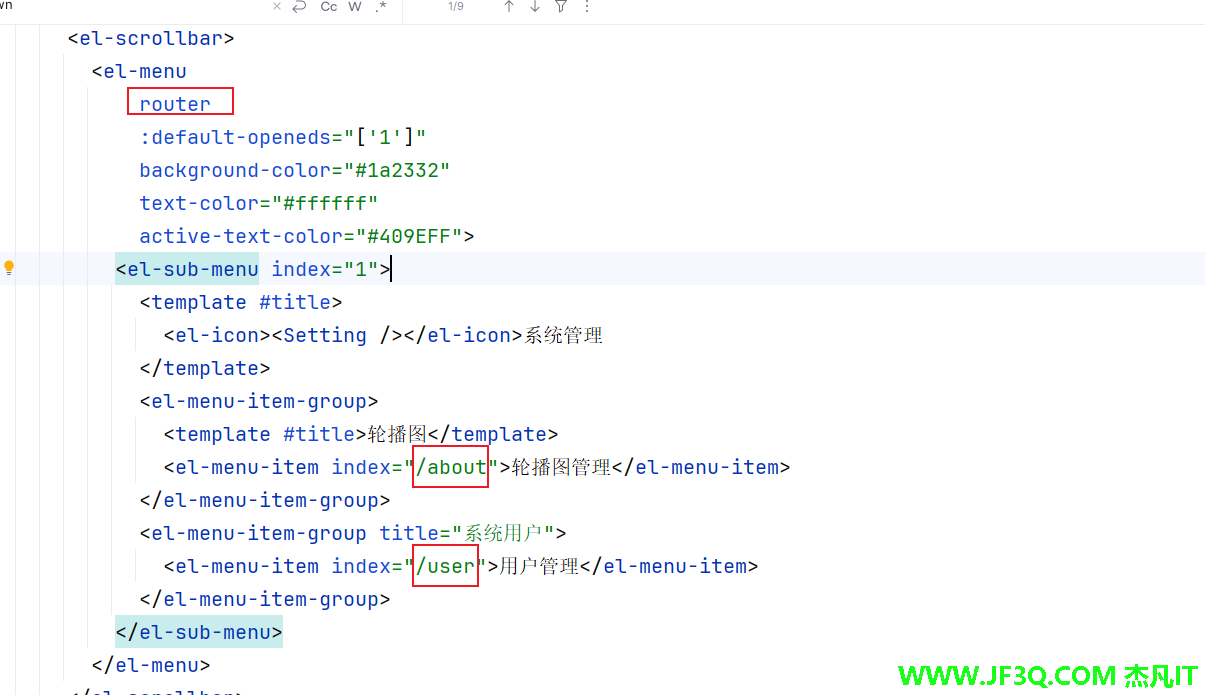
            router
            :default-openeds="['1']"
            background-color="#1a2332"
            text-color="#ffffff"
            active-text-color="#409EFF">
          <el-sub-menu index="1">
            <template #title>
              <el-icon><Setting /></el-icon>系统管理
            </template>
            <el-menu-item-group>
              <template #title>轮播图</template>
              <el-menu-item index="/about">轮播图管理</el-menu-item>
            </el-menu-item-group>
            <el-menu-item-group title="系统用户">
              <el-menu-item index="/user">用户管理</el-menu-item>
            </el-menu-item-group>
          </el-sub-menu>
        </el-menu>
      </el-scrollbar>
    </el-aside>

    <el-container>
      <el-header>
        <h2 class="header-title">校园论坛后台</h2>
        <div class="toolbar">
          <el-dropdown>
            <template #dropdown>
              <el-dropdown-menu>
                <el-dropdown-item>个人中心</el-dropdown-item>
                <el-dropdown-item>退出</el-dropdown-item>
              </el-dropdown-menu>
            </template>
            <el-icon class="setting-icon"><Tools /></el-icon>

          </el-dropdown>
          <span class="user-name">Tom</span>
        </div>
      </el-header>

      <el-main>
        <el-scrollbar>
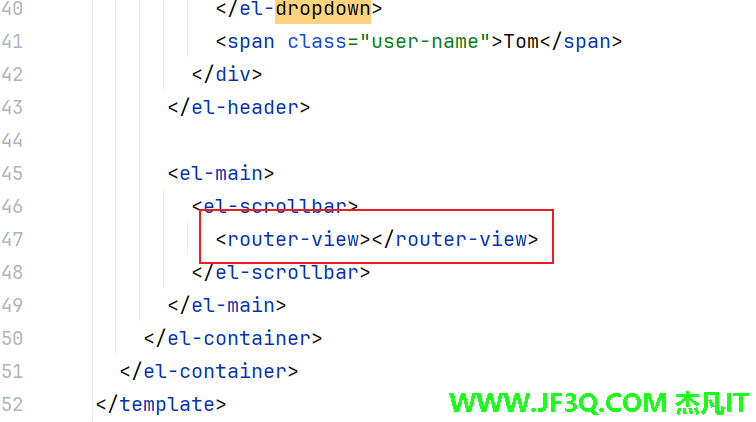
          <router-view></router-view>
        </el-scrollbar>
      </el-main>
    </el-container>
  </el-container>
</template>

<script  setup>
import { Setting,Tools} from '@element-plus/icons-vue'

</script>

<style scoped>
.layout-container-demo {
  height: 100vh;
}

.layout-container-demo .el-header {
  position: relative;
  background: linear-gradient(135deg, #667eea 0%, #764ba2 100%);
  color: #ffffff;
  padding: 0 20px;
  box-shadow: 0 2px 12px 0 rgba(0, 0, 0, 0.1);
  display: flex;
  align-items: center;
  justify-content: space-between;
}

.header-title {
  margin: 0;
  font-size: 20px;
  font-weight: 600;
  letter-spacing: 1px;
  text-shadow: 2px 2px 4px rgba(0, 0, 0, 0.2);
}

.layout-container-demo .el-aside {
  background: #1a2332;
  box-shadow: 2px 0 8px rgba(0, 0, 0, 0.1);
}

.layout-container-demo .el-menu {
  border-right: none;
}

.layout-container-demo .el-menu-item-group__title {
  color: #909399;
  padding-left: 20px;
}

.layout-container-demo .el-menu-item:hover {
  background-color: rgba(64, 158, 255, 0.2) !important;
}

.layout-container-demo .el-menu-item.is-active {
  background-color: rgba(64, 158, 255, 0.3) !important;
}

.layout-container-demo .el-main {
  padding: 0;
  background-color: #f5f7fa;
}

.layout-container-demo .toolbar {
  display: inline-flex;
  align-items: center;
  justify-content: center;
  height: 100%;
  right: 20px;
  cursor: pointer;
  padding: 5px 10px;
  border-radius: 4px;
  transition: all 0.3s;
}

.layout-container-demo .toolbar:hover {
  background-color: rgba(255, 255, 255, 0.1);
}

.setting-icon {
  margin-right: 8px;
  font-size: 18px;
  color: #ffffff;
  transition: transform 0.3s;
}

.layout-container-demo .toolbar:hover .setting-icon {
  transform: rotate(90deg);
}

.user-name {
  font-size: 14px;
  font-weight: 500;
}
</style>
重点注意:
路由配置
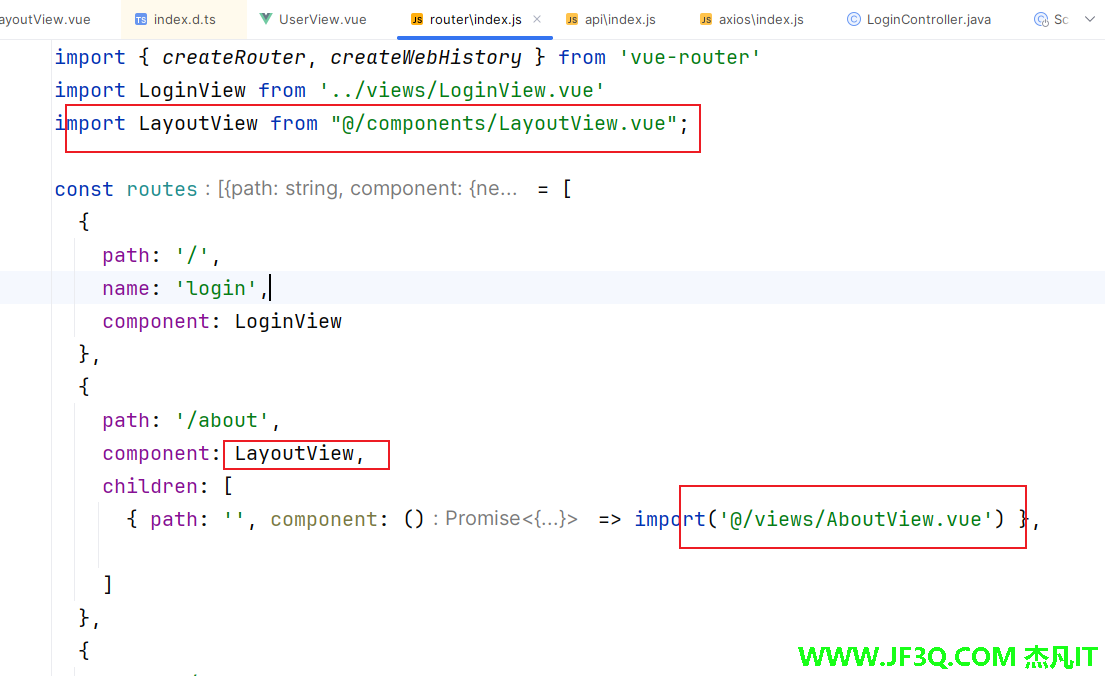
{
    path: '/about',
    component: LayoutView,
    children: [
      { path: '', component: () => import('@/views/AboutView.vue') },

    ]
  },
解决刷新页面选中状态丢失的问题
// 监听路由变化,更新选中状态
watch(() => route.path, (newVal) => {
  activeIndex.value = newVal
}, { immediate: true })
</script>好博客就要一起分享哦!分享海报
此处可发布评论
评论(0)展开评论
暂无评论,快来写一下吧
展开评论
您可能感兴趣的博客
他的专栏
 新业务
新业务  springboot学习
  ssm框架课
  vue学习
vue学习  【带小白】java基础速成
 他感兴趣的技术
